


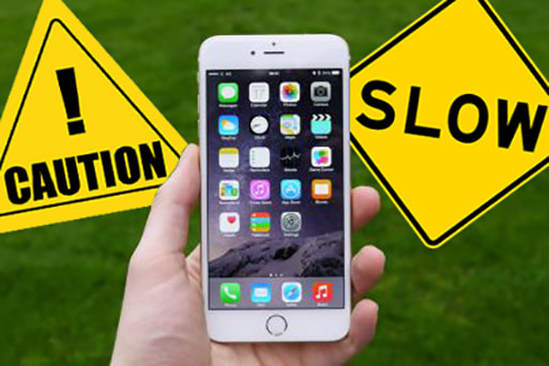
Most smartphone users notice that their devices tend to slow down after months or years of use. Apps take longer to open, scrolling feels laggy, and overall performance seems reduced. While it can be frustrating, this slowdown is usually a combination of software, hardware, and user behavior rather than intentional obsolescence.
This article explains why smartphones slow down over time, the main factors contributing to reduced speed, and practical steps users can take to maintain device performance.

Software Updates and Their Impact
Software updates are essential for security, new features, and compatibility, but they can affect older devices. New operating system versions are often designed with the latest hardware in mind. As a result:
-
Older processors may struggle with more complex features
-
Increased system requirements consume more memory
-
Background processes may multiply, using CPU and battery
While updates improve security and functionality, they can inadvertently slow down older phones.
Accumulation of Apps and Data
Over time, smartphones fill up with apps, cached data, and media files. Every app installed may:
-
Run background processes
-
Store temporary files
-
Sync data with cloud services
As storage fills up and resources are consumed, the device can respond more slowly. This is particularly noticeable on phones with limited RAM or older storage technology.
Battery Degradation
Smartphone batteries degrade naturally over time. As battery health declines:
-
The system may limit peak performance to prevent unexpected shutdowns
-
CPU speeds can be throttled to reduce energy consumption
-
Charging cycles become less efficient, impacting overall performance
Battery health is a key factor in device speed, especially for devices used for multiple years.
Background Processes and Notifications
Modern smartphones constantly handle notifications, location tracking, and app updates. These background activities consume processing power and memory. While each task is small, the cumulative effect can slow down the device noticeably.
Disabling unnecessary background processes or limiting app notifications can help maintain speed.
Storage Fragmentation and File Management
Just like computers, smartphone storage can become fragmented. Large numbers of files, especially photos, videos, and downloaded documents, can make reading and writing data slower. Apps may take longer to access storage, and system operations like updates or backups may also slow down.
Regularly cleaning up storage and organizing files can improve performance.
Hardware Limitations
Smartphones are built with hardware that has physical limits. Over time:
-
CPUs may become outdated compared to modern apps
-
Graphics processing units (GPUs) may struggle with new animations or games
-
Older devices may lack sufficient RAM for multitasking
Hardware limitations are natural and unavoidable as technology advances.
Cached Data and Temporary Files
Cached files help apps load faster, but excessive cached data can backfire. When cache grows too large:
-
Storage space decreases
-
Apps may take longer to open or update
-
The operating system may slow down overall processing
Periodic clearing of cache can help restore some speed.
Malware and Unwanted Apps
Malware, adware, or poorly optimized apps can also slow down a smartphone. These apps may:
-
Run hidden processes
-
Consume memory and CPU
-
Display intrusive ads or notifications
Installing trusted apps and performing regular scans improves both security and performance.
The Impact of App Updates on Older Devices
Even though app updates often bring new features and security improvements, they can unintentionally slow down older smartphones. Developers optimize apps for the latest devices, which means new updates may require more memory, processing power, and storage than older hardware can efficiently handle. Over time, apps like social media platforms, messaging services, or navigation tools may perform sluggishly on devices that once ran them smoothly. Users may notice delays in switching between apps or slower response times when multitasking. Understanding this helps explain why devices that functioned perfectly a year ago suddenly feel less responsive after multiple app updates.
The Role of System Maintenance and Optimization
Maintaining a smartphone’s performance requires occasional system optimization. Operating systems constantly run background tasks such as indexing files, syncing data, and performing security checks. Over months or years, these processes can accumulate, using valuable memory and processing resources. Additionally, large media libraries, accumulated cache, and temporary files can further slow down a device. Performing regular maintenance—such as clearing cache, deleting unused files, and monitoring app behavior—can significantly improve speed. Some smartphones also include built-in optimization tools that help manage storage, limit unnecessary background activity, and monitor battery health. Taking these proactive steps allows users to extend device longevity and maintain a smoother experience, even on older hardware.
How Users Can Maintain Speed
Users can take several steps to keep their smartphones running efficiently:
-
Regularly update apps and system software
-
Delete unused apps and files
-
Limit background processes and notifications
-
Monitor battery health and replace aging batteries
-
Clear cached data occasionally
-
Avoid installing apps from unknown sources
By following these practices, users can extend the lifespan and usability of their devices.
The Role of Perception
Sometimes, devices feel slower simply because newer apps and features demand more resources. Even if the hardware is capable, increased expectations can make the device seem sluggish. Comparing old phones with new models exaggerates the perception of slowness.
Final Thoughts
Smartphones slow down over time due to a combination of software updates, accumulated data, battery degradation, and hardware limitations. While some factors are unavoidable, users can take proactive steps to maintain speed and performance. Understanding the reasons behind slowdown helps users manage expectations and keep their devices functioning smoothly for longer.